
Electronic time tracking
Employee time tracking. No paper attendance register.
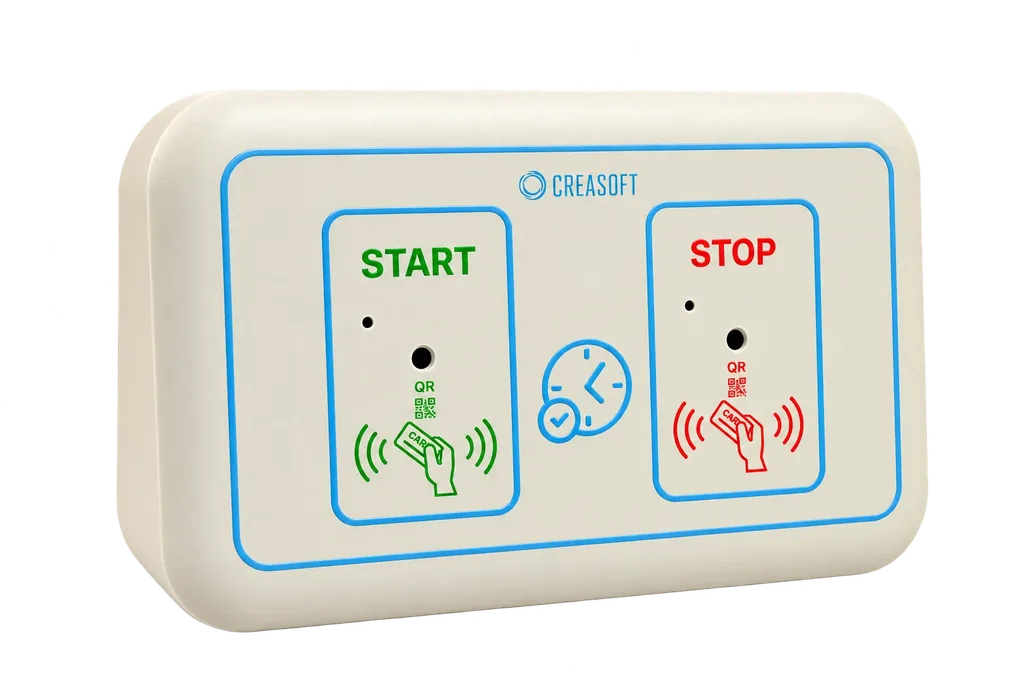
Employees clock in with a card, phone, fingerprint or from a PC. The attendance register and the collective timesheet are generated automatically, ready for payroll.
Why Creasoft? Explore the advantages
from EUR 1 per employee, per month
Price per module, excluding VAT. Implementation and equipment are calculated separately. Calculate the exact cost.
In short.
- 4 ways to clock inRFID card, phone (Bluetooth, QR code, GPS), fingerprint, or PC and web.
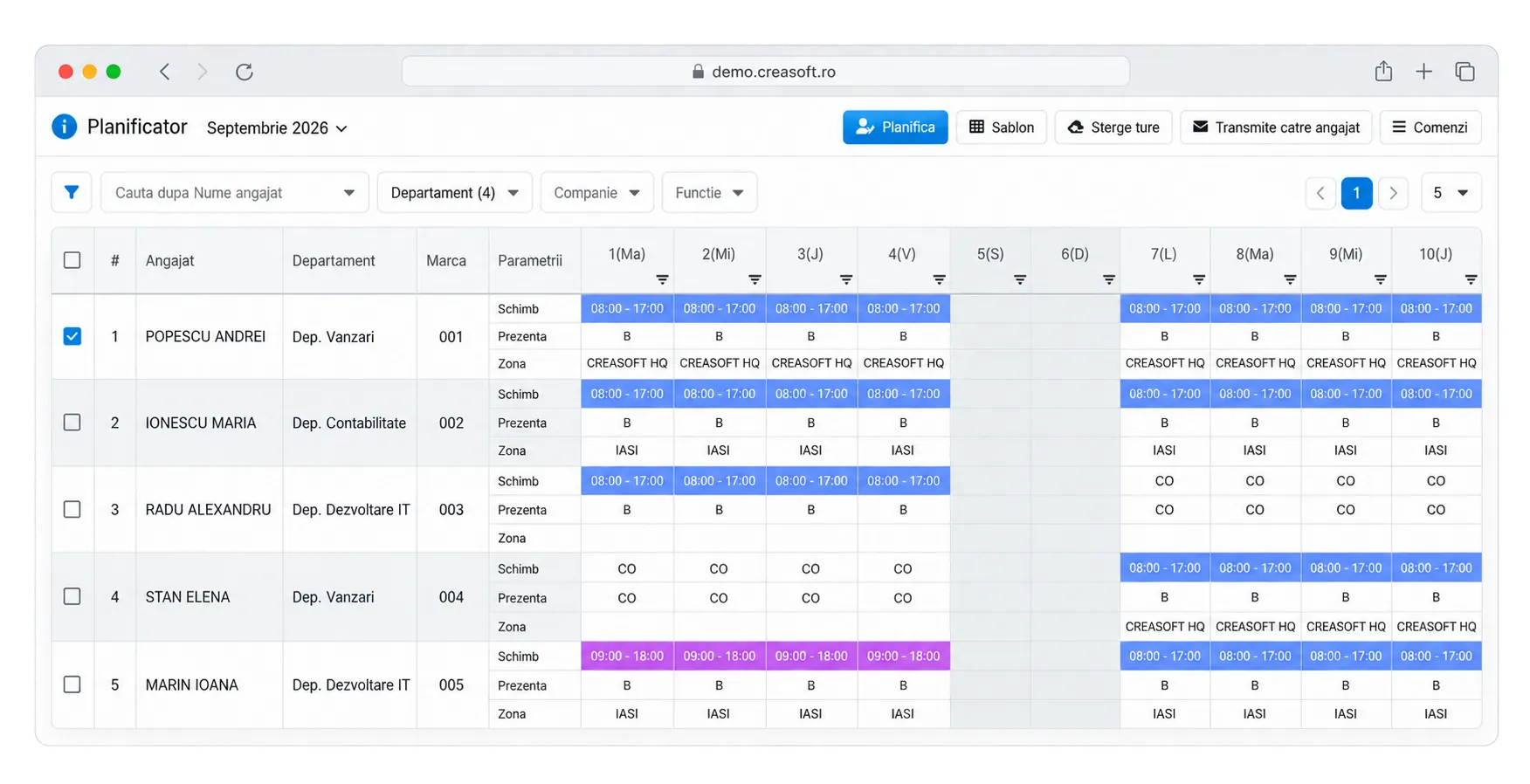
- Automatic registerThe attendance register, the collective timesheet and the individual timesheet, generated from clock-ins.
- Works offlineThe terminal stores events locally and sends them when the connection is restored.
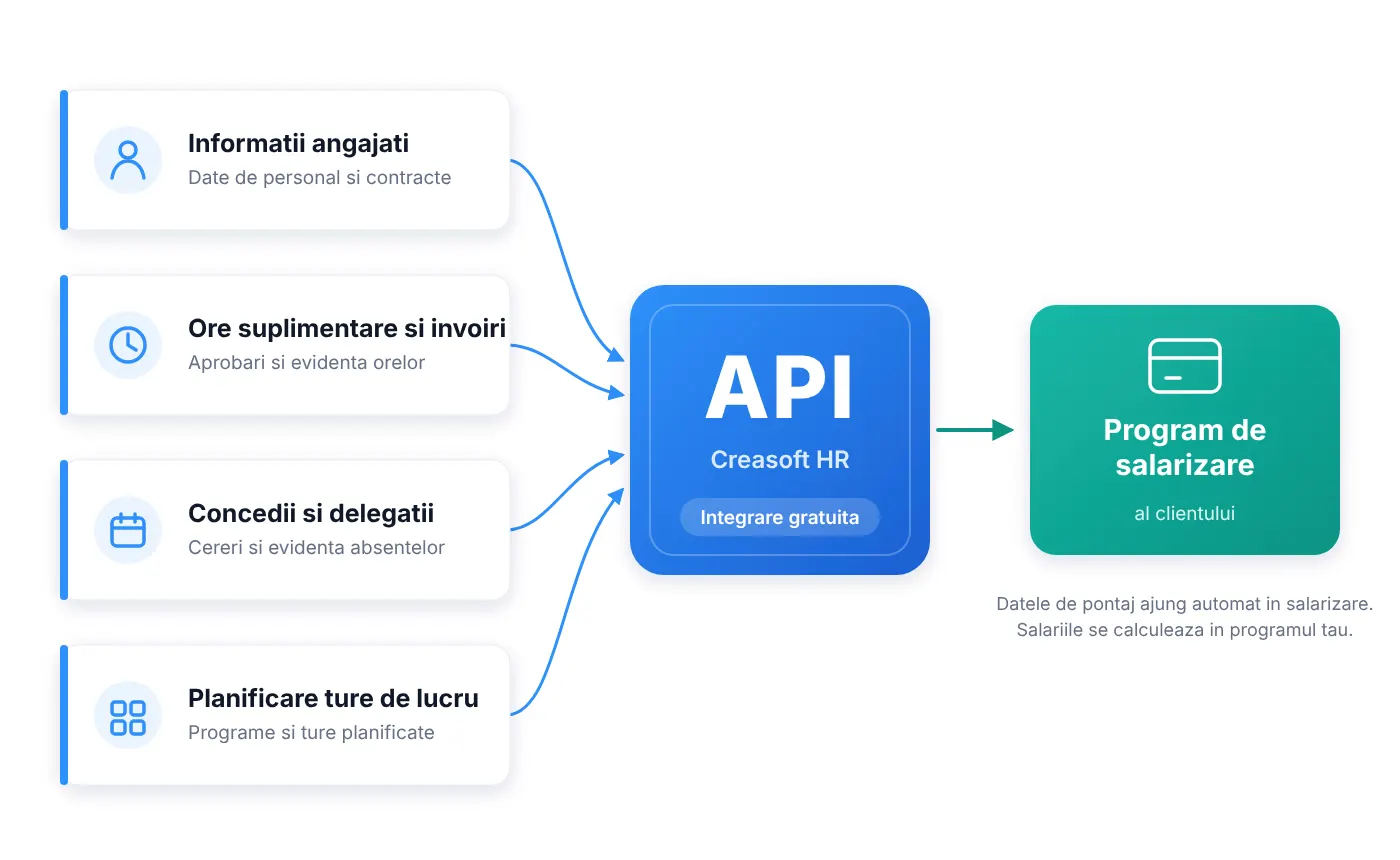
- Data for payrollHours worked, overtime and absences, through a free API or Excel export.
- Since 2017More than 5,000 time clocks delivered, made in Romania.
Four ways to clock in. Combine them as you like.
Each team clocks in the way that suits where it works. All clock-ins end up in the same register.
RFID card
Fast at the entrance.
The employee holds the card to the reader. Suitable for factories, warehouses and high people flows.
Phone
Creasoft Pass.
Clock in with a phone via Bluetooth or a dynamic QR code, with no card. One phone per employee, so nobody can clock in for someone else.
Fingerprint
No lost cards.
The reader turns the fingerprint into an encrypted code and does not keep its image. Technical assessment available.
PC and field
For telework and travel.
Start and stop from the PC app or the phone, with GPS validation and work zones for field teams.
Creasoft time clock
Take it out of the box. Plug it in. Clock in.
The portable kit with a GSM modem and SIM included starts in under a minute. You do not need a network cable, a local server or a technician. You can move it at any time: to a construction site, a new warehouse, a shop.
It works even when the internet goes down.
Good time tracking does not depend on the connection. Creasoft terminals are built for places where the signal is not guaranteed.
Backup battery
No gaps during power cuts.
The terminal keeps recording for several hours on its own battery.
Local memory
Nothing is lost.
Events are kept in the terminal and sent to the server automatically when the internet or GSM signal returns.
Uninterrupted access
The door still opens.
Employee identifiers are stored in the terminal, so access keeps working. Only adding or removing employees waits for the connection to return, after which the server resends them automatically.
Reports
Month-end close, without spreadsheets.
Clock-ins and clock-outs are turned automatically into hours worked, according to the company’s schedule and rules. You check the exceptions, approve overtime and send the data to payroll.
- Attendance register and collective timesheet
- Individual timesheet
- Who is present right now, in real time
- Late arrivals, early departures and unexcused absences
- Overtime approved or pending
- Planned and taken leave
Fair time tracking. For everyone.
Anti-fraud rules protect the employees who work honestly and give you data you can rely on.
Single phone
One employee, one phone.
Creasoft Pass ties the account to a single phone. The QR code changes continuously, so it cannot be photographed and used by someone else.
Location
Clock in only where you should.
For mobile time tracking, work zones are included in the standard licence.
Video evidence
Optical barrier and camera.
In configurations with an optical barrier, every suspicious event is recorded in a 10-second video clip.
Which method fits.
| RFID card | Phone | Fingerprint | PC and web | |
|---|---|---|---|---|
| Suitable for | Factories, warehouses, offices | Teams without cards, small sites | Places where cards get lost or lent | Telework, office |
| Equipment | Time tracking kit and cards | The employee’s phone and a 3-in-1 reader | Kit with fingerprint reader | The Creasoft PC app |
| Without internet | Yes, local memory | Yes, at the reader | Yes, local memory | Requires a connection |
| Door access control | Optional | Optional | Optional | Not applicable |
Integration
The data reaches payroll on its own.
Creasoft does not calculate salaries and does not require you to change your payroll software. It sends hours worked, overtime and absences, through a free real-time API or by Excel export.
Time tracking is mandatory. And it gets checked.
Article 119 of the Labour Code requires the employer to keep a record of the hours worked each day by each employee, with the start and end time of the schedule, and to present it to labour inspectors on request. In 2019 the Court of Justice of the EU required an objective, reliable and accessible system for measuring working time.
What clients say.
The Creasoft electronic time tracking solution was an excellent investment; it helped us track the working time of our more than 1,800 employees efficiently.
We recommend Creasoft’s time tracking and work planning solution (…) we believe it is the best time tracking solution on the market.
We successfully use more than 150 Creasoft portable time clocks, distributed across our locations throughout the country. The HR application is intuitive and efficient, enabling clear, centralised management of human resources.
Frequently asked questions about electronic time tracking.
What is an electronic time tracking system?
It is a system that automatically records when an employee starts and finishes work, by card, phone, fingerprint or PC, and turns these clock-ins into hours worked. From them come the attendance register, the collective timesheet and the data for payroll.
Does electronic time tracking replace the paper attendance register?
Yes. The Labour Code requires a record of the hours worked each day, with start and end times, but does not require a paper form. The attendance register generated by Creasoft can be presented during a Labour Inspectorate inspection, printed or exported.
How much does a time tracking system cost?
The electronic time tracking licence starts at EUR 1 per employee per month, excluding VAT. Equipment, if you choose it, is paid for once. You can see the exact cost in the pricing configurator.
Do I need a time clock?
Not necessarily. Employees can also clock in with their phone, through the Creasoft Pass app, or from a PC. A time clock is useful at the office entrance, in production halls and warehouses, and for access control.
Does the time clock work without internet?
Yes. The terminal has a backup battery and local memory. Events are sent to the server automatically when the connection returns, and door access keeps working.
Can employees who work in the field or from home clock in?
Yes. Field teams clock in from their phone, with GPS validation and work zones. For telework there is the Creasoft PC app, which records the start and end of the working day.
How do hours worked reach the payroll software?
Through a free real-time API or by Excel export. You can send raw clock-ins or calculated totals: hours worked, overtime, absences and leave.
How long does implementation take?
Usually 3 to 10 working days: account setup, importing employees, time tracking rules and training of up to 3 hours.
Missing clock-in alerts for managers.
When an employee has not clocked in by a configurable time after the start of their shift, managers can receive an automatic email, SMS or Creasoft Pass push notification.
See time tracking with your company’s data.
An online demo takes about 30 minutes. We show you time tracking, reports and documents using an example close to your company.
Or call sales: +40 749 500 400