
Time management
Plan once. See deviations immediately.
Shifts, leave and overtime sit next to actual time tracking. Every day you know who was supposed to work, who came in and what needs approving.
Three things that eat up your month. Solved.
Shifts and locations
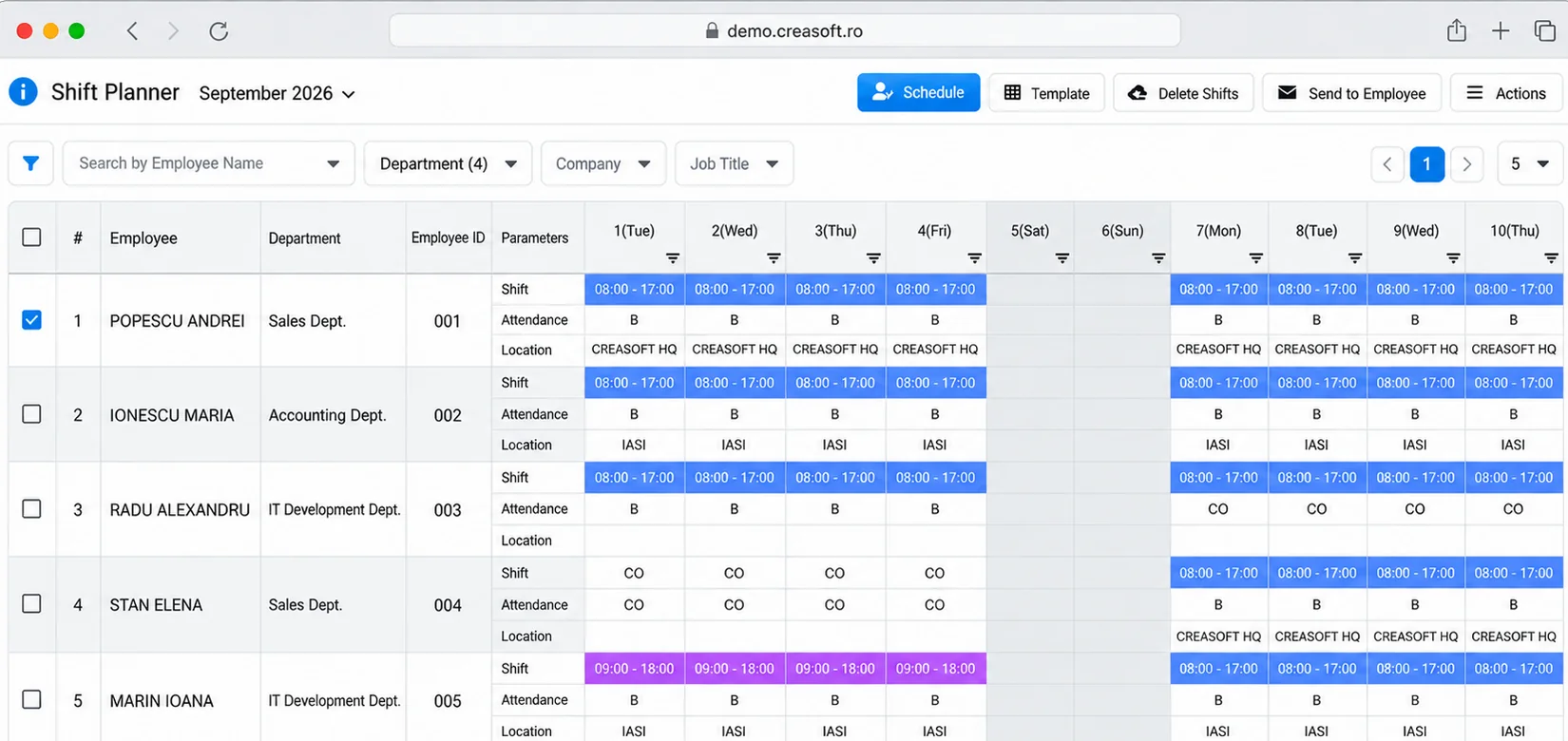
Visual planner.
You schedule shifts and telework days by department, area or town. You change them in real time, and employees see the schedule by email, on paper, in the app or at the Kiosk.
Leave and business trips
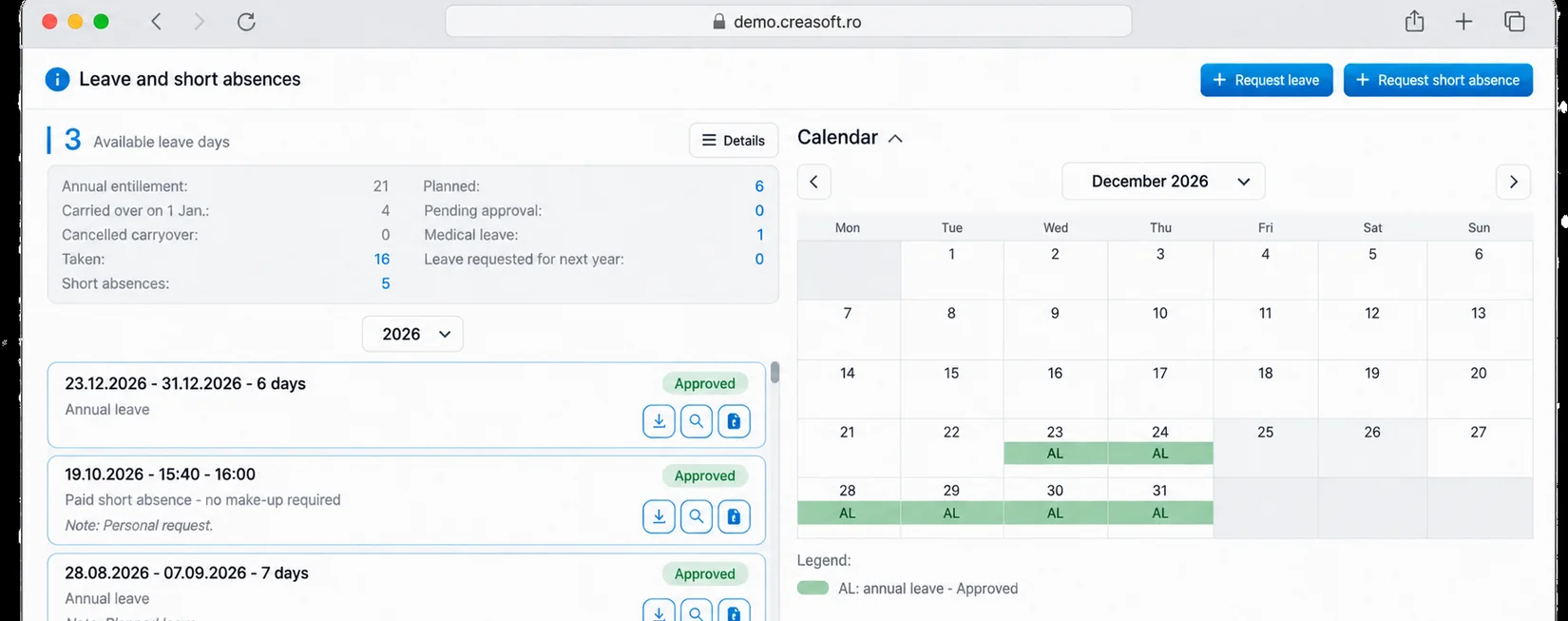
Request, approval, done.
The employee requests online, the manager approves in a few clicks. Approved days appear automatically in time tracking and in planning. The leave slip is generated automatically.
Overtime
Approved by rules.
Overtime and time off are approved in full or in part. You can set rules, for example automatic approval above a minimum number of hours in a period.
Planned versus actual
Deviations come to light on their own.
The report compares the planned schedule with actual time tracking and shows late arrivals, absences and extra hours. Corrections stay in the history, with author and justification.
Frequently asked questions.
Can I plan rotating shifts and night shifts?
Yes. Shifts are defined according to the company’s schedule and applied to employees, teams or locations. Hours worked are calculated according to the configured rules.
Can employees see their schedule?
Yes: in the app, by email, on paper or at the Info Kiosk.
Does leave reach payroll?
Approved days appear in time tracking and are sent, together with the hours worked, to the payroll software.
See how it fits your company.
An online demo takes about 30 minutes. We show you time tracking, reports and documents using an example close to your company.
Or call sales: +40 749 500 400