
HR guide
How to organise the digital employee file.
New documents, the historical archive and controlled access. With a digitisation checklist.
In short
- Keep new, electronically signed documents separate from the scanned historical archive.
- Use the same file structure for all employees.
- Decide who sees what, by role.
- Contract data is submitted to REGES-Online, regulated by Government Decision no. 295/2025.
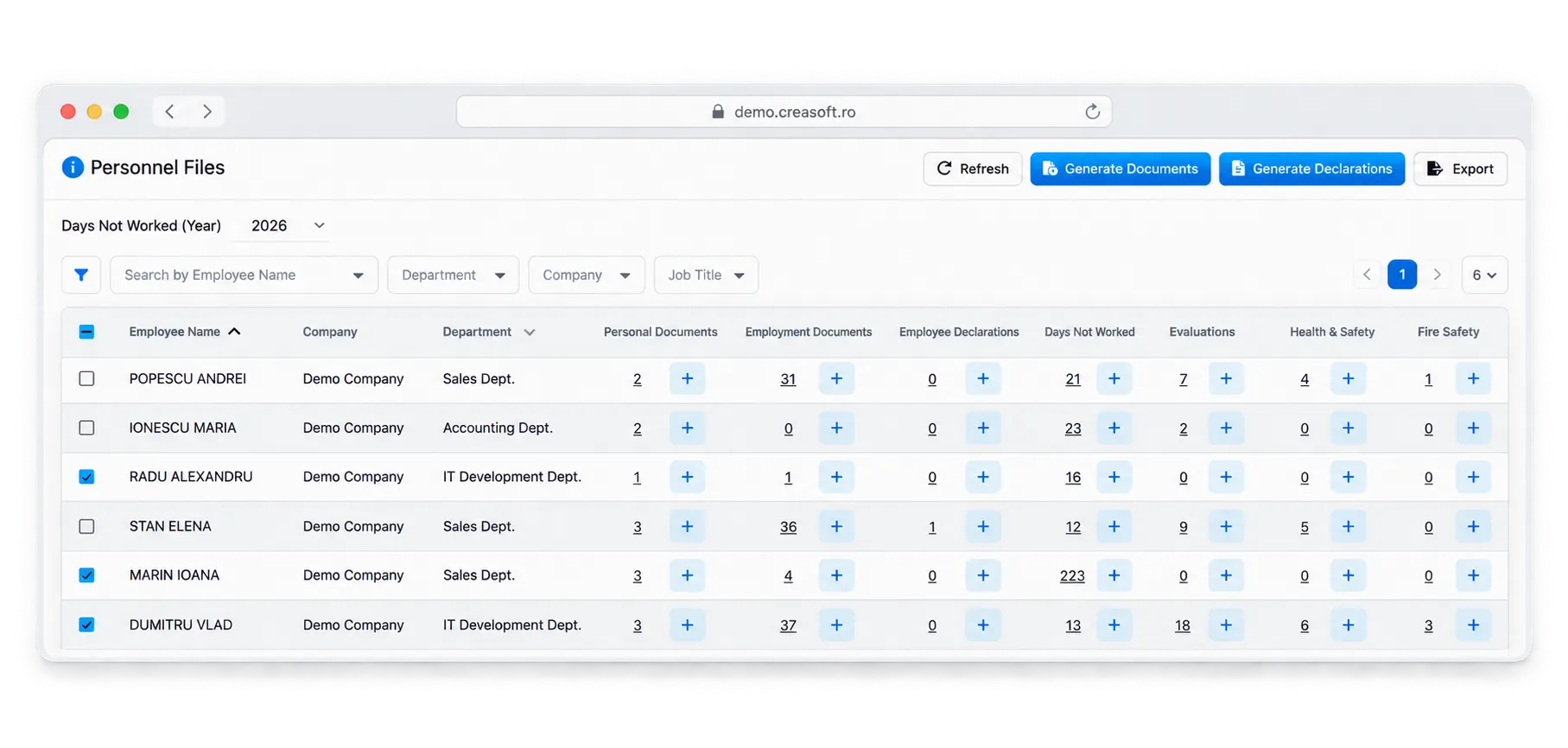
What the file usually contains
- The individual employment contract and addenda
- Job description
- Decisions: hiring, changes, termination
- Health and safety and fire safety records
- Personal documents: ID, diplomas, certificates
- Reviews and requests
New documents and the historical archive
New documents can be generated and signed electronically, so they exist in electronic form from the start. Old paper documents are scanned for quick access; whether to keep the originals is decided together with the company’s legal adviser.
Digitisation checklist
- Define the category structure of the file.
- Import employee and contract data from REGES-Online.
- Upload the company’s templates for common documents.
- Scan the historical archive, by employee and by category.
- Define roles and access rights.
- Turn on alerts for expiring documents.
The Creasoft solution
Creasoft digital employee file.
Generation, signing, archiving and REGES-Online synchronisation, in one place.