
HR guide
What an employee sees when signing an HR document.
From the invitation and confirmation to the saved document, step by step. Plus the option for employees without email.
In short
- The employee receives the invitation by email or SMS.
- They open the document and confirm with a one-time OTP code.
- The signed document is saved automatically in their digital file.
- No email? They sign on their phone or at the Info Kiosk.
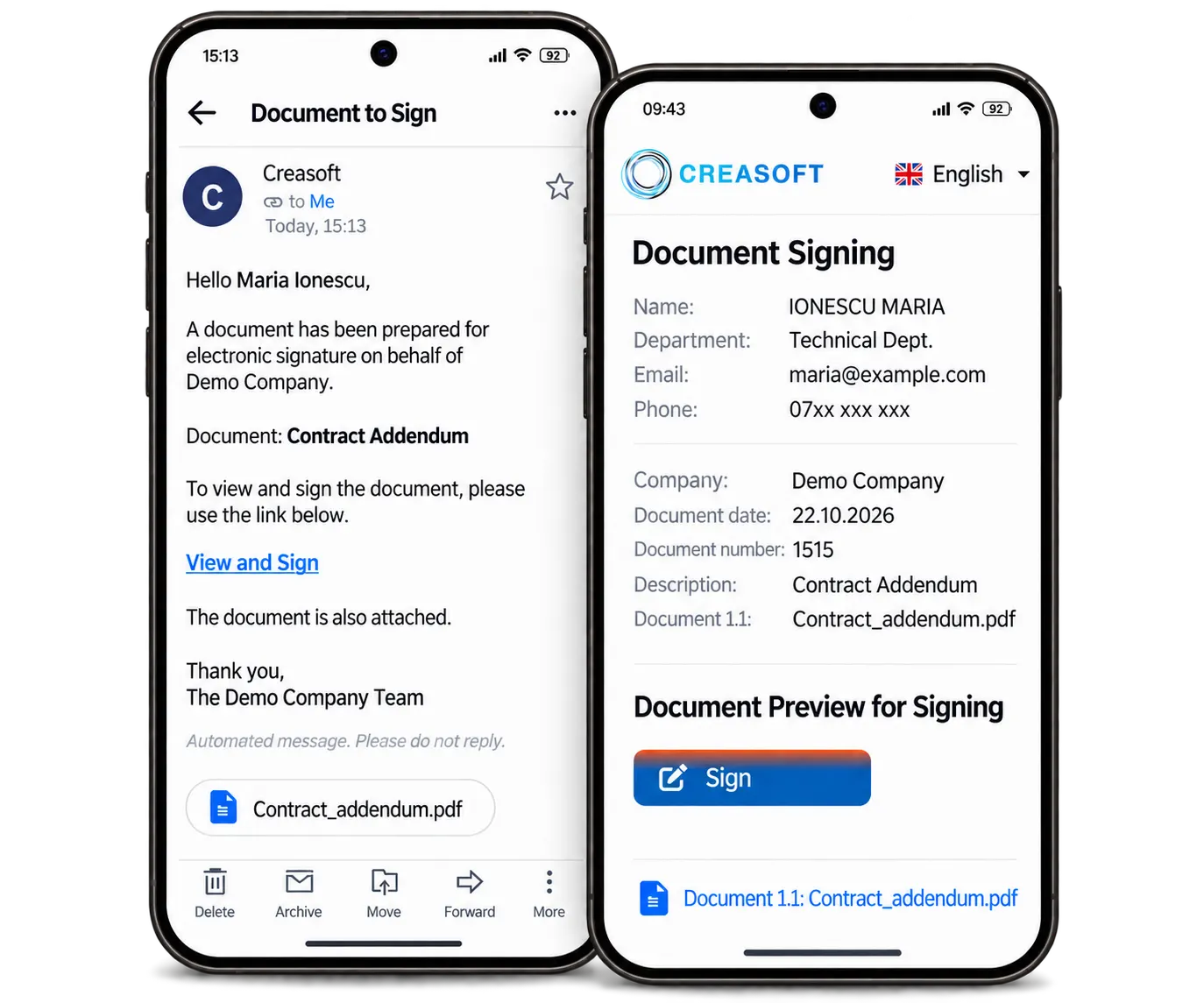
Step by step
- HR sends the document from the digital file: an addendum, a decision, a health and safety record.
- The employee receives a message with a link, by email or SMS.
- They open the document on their phone and read it in full.
- They tap Sign and automatically receive a one-time OTP code.
- They enter the code. The document is signed and appears in their file, with the date and time.
Employees without email
For employees without an email address, the invitation and code arrive by SMS on their phone, or signing is done at the Info Kiosk after identifying with a card, fingerprint or phone.
What remains after signing
- The signed document, in the employee’s file
- Who signed, when and by what method
- A copy the employee can access in Self Service
Frequently asked questions.
Is an electronic signature legal for employment documents?
Yes, under the eIDAS Regulation, Government Emergency Ordinance no. 36/2021 and the Romanian Labour Code. You decide the right type of signature for each document with the company’s legal adviser.
How much does it cost?
Signatures are paid per use, from EUR 0.10 per document.
The Creasoft solution
Try signing for free.
You receive a demo document by email and the confirmation code by SMS.