
Electronic attendance register
The attendance register. Filled in by time tracking, not by people.
Every clock-in and clock-out is automatically turned into the attendance register and the collective timesheet. They are always available, for payroll or for a labour inspection (ITM).
Three reports. Generated from time tracking.
Activity history
Every event, in order.
All clock-ins received, in order of arrival. Records cannot be deleted, but they can be filtered, sorted and exported to Excel.
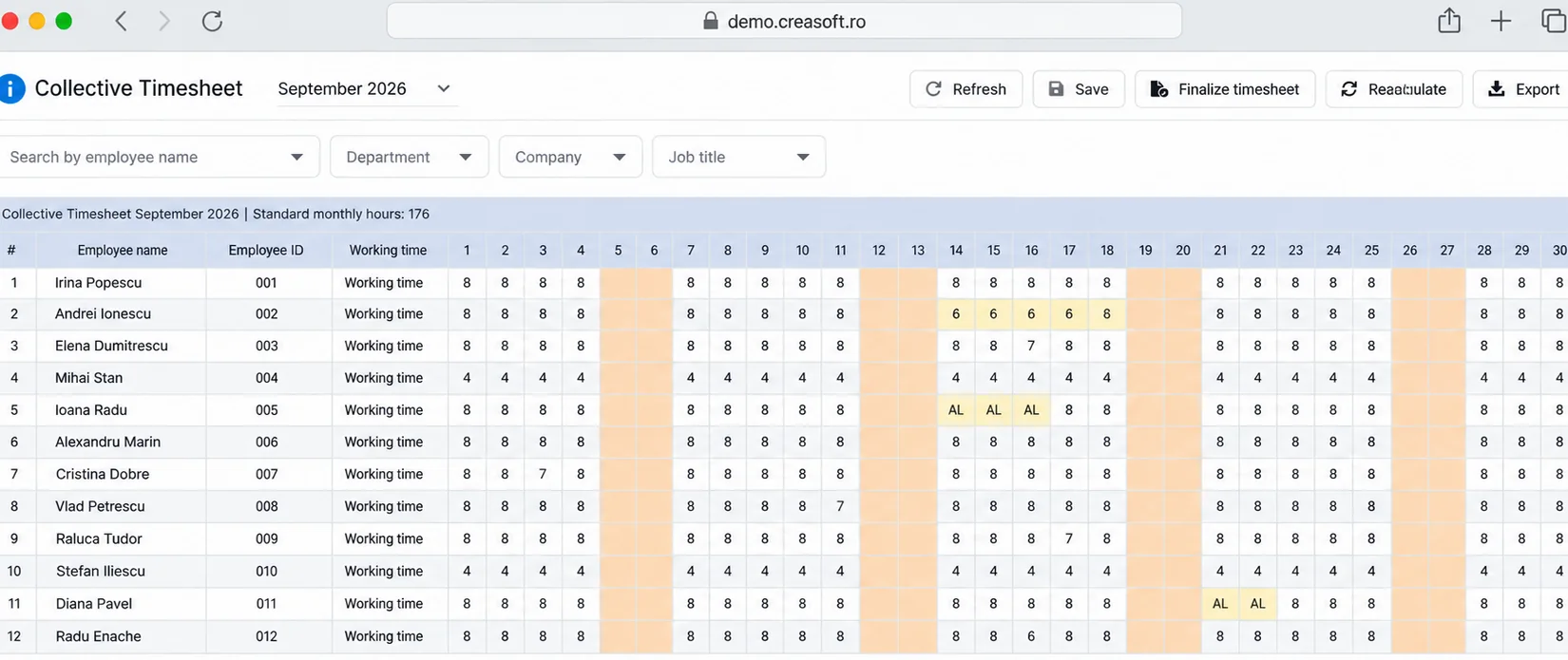
Collective timesheet
The whole team, on one page.
Arrival time, departure time, time on site and time in work areas. Time spent outside work areas is excluded automatically.
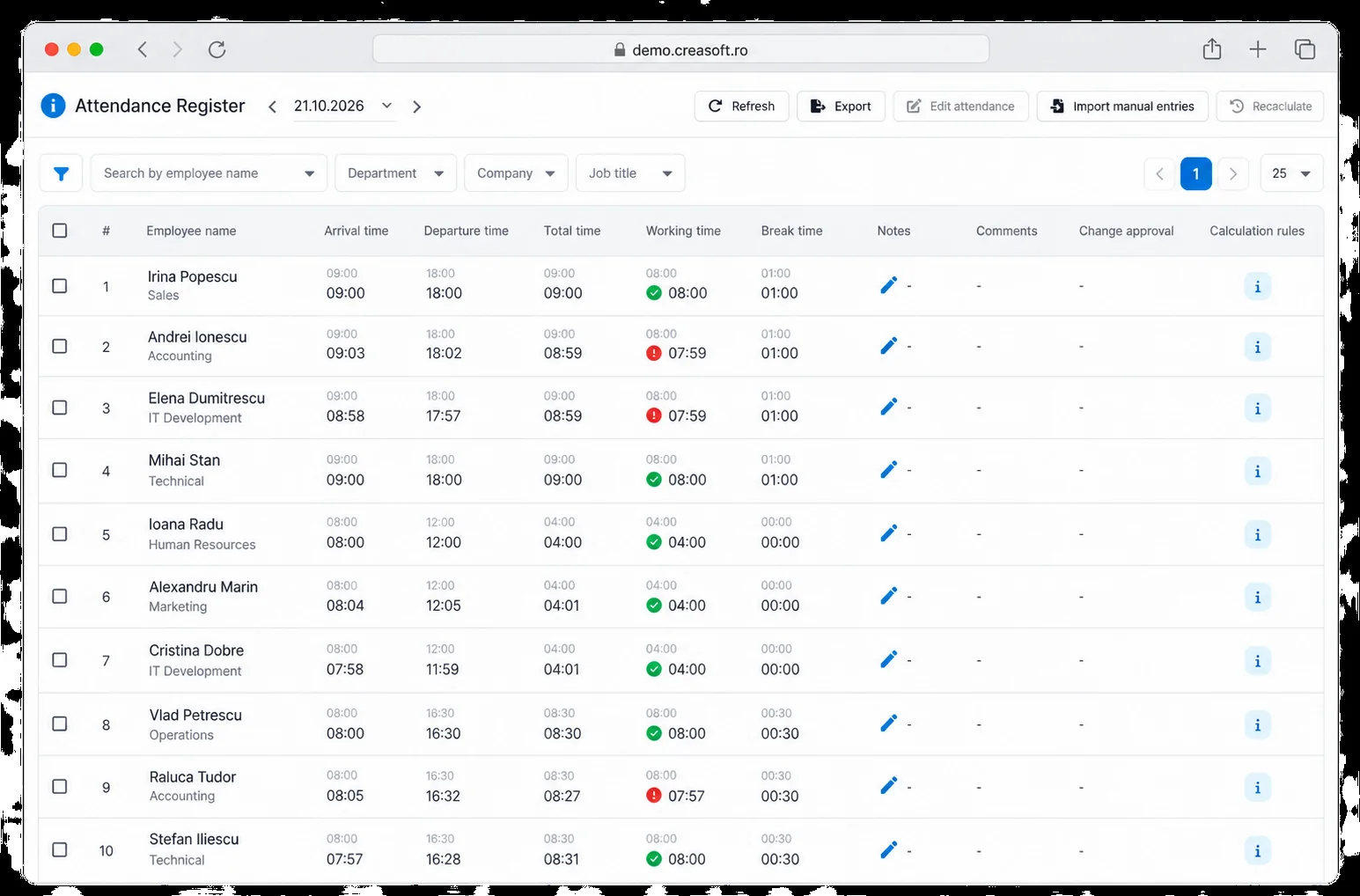
Attendance register
Each employee’s hours.
Check attendance and total hours worked, including overtime.
What it must contain, in short.
The Labour Code requires a record of the hours worked each day by each employee, with the start and end time of the schedule. Creasoft reports include this data for every day and every employee.
See the attendance register and collective timesheet in the app
Two examples of attendance records you can review before sharing working-time data with payroll.
Frequently asked questions.
What is the difference between the attendance register and the collective timesheet?
The attendance register shows each employee’s clock-ins, clock-outs and hours worked. The collective timesheet consolidates, for a period, the hours worked and absences of the whole team and is the document usually used for payroll.
Can I send the reports automatically?
Yes. Reports can be emailed automatically to authorised people at the interval you choose.
Can clock-ins be modified?
Corrections are made by people with the right permissions, with a justification, and remain in the history. Original events are never deleted.
See how it fits your company.
An online demo takes about 30 minutes. We show you time tracking, reports and documents using an example close to your company.
Or call sales: +40 749 500 400